


Have you ever wished you could just “talk” to your messy folders of PDF files and get an instant answer? Whether you are managing research papers, business SOPs, or complex technical manuals, digging through documents is a waste of time.
What if you could build a “Digital Brain” that reads all your files for you and answers your questions in seconds? Today, I’m going to show you how to do exactly that using n8n and a powerful AI technique called RAG.
What is RAG? (The Secret Sauce)
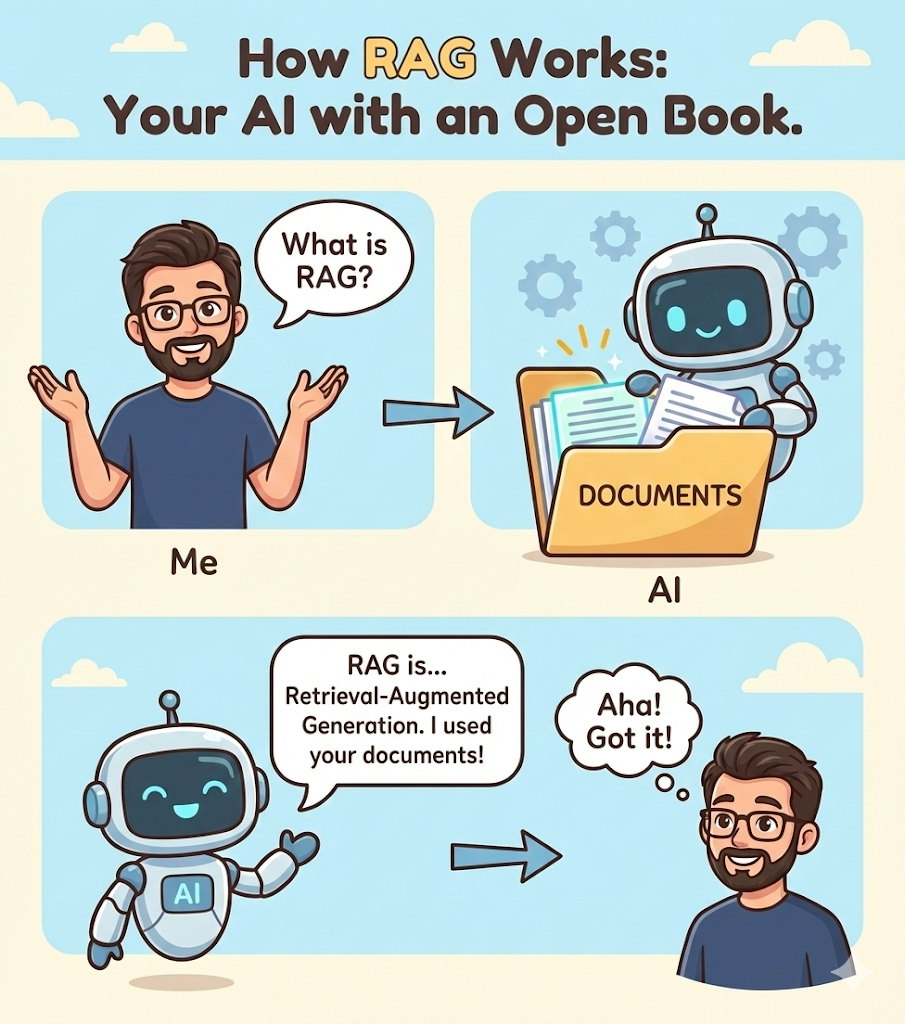
Before we dive into the workflow, let’s learn a new term: RAG (Retrieval-Augmented Generation).
Think of a standard AI (like ChatGPT) as a very smart student taking an exam from memory. Sometimes, they might forget a detail or “hallucinate” (make up) an answer. RAG is like giving that student an “Open Book” exam. The AI first looks at your specific documents (The Book) and then answers the question based only on that information.
Breaking Down the n8n Workflow
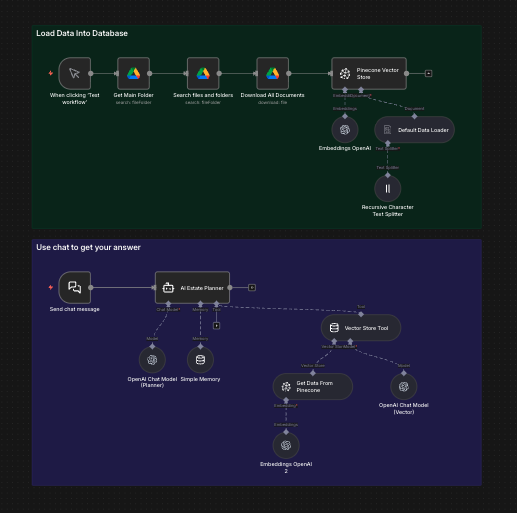
This template I’ve designed for you is divided into two main parts: Knowledge Ingestion and The AI Conversation.
1. Knowledge Ingestion: Filling the Digital Brain
The top half of the workflow handles the “reading” part:
- Google Drive: You simply drop your documents into a folder named “RAG.”
- Text Splitter: Long documents are hard to digest. The AI breaks them into small “chunks” so it can find specific paragraphs easily.
- Pinecone (Vector Store): This is your super-organized digital library. It stores the “meaning” of every sentence as math so the AI can search it instantly.
2. The AI Conversation: Chatting with the Expert
The bottom half is where you interact:
- AI Agent: This is the “brain.” I have programmed it to be professional and friendly.
- Vector Store Tool: This allows the AI to “reach into” your library to grab the right facts before it speaks.
- Window Buffer Memory: The AI remembers what you said earlier in the chat, so you can ask follow-up questions naturally.
How to Get Started (Step-by-Step)
If you are new to n8n, don’t worry. Here is your roadmap:
- The Host: You need a place for n8n to live. I recommend Zeabur because it’s “one-click” and very stable.
- The Keys: You will need API keys from OpenAI (to help the AI understand language) and Pinecone (to store the data).
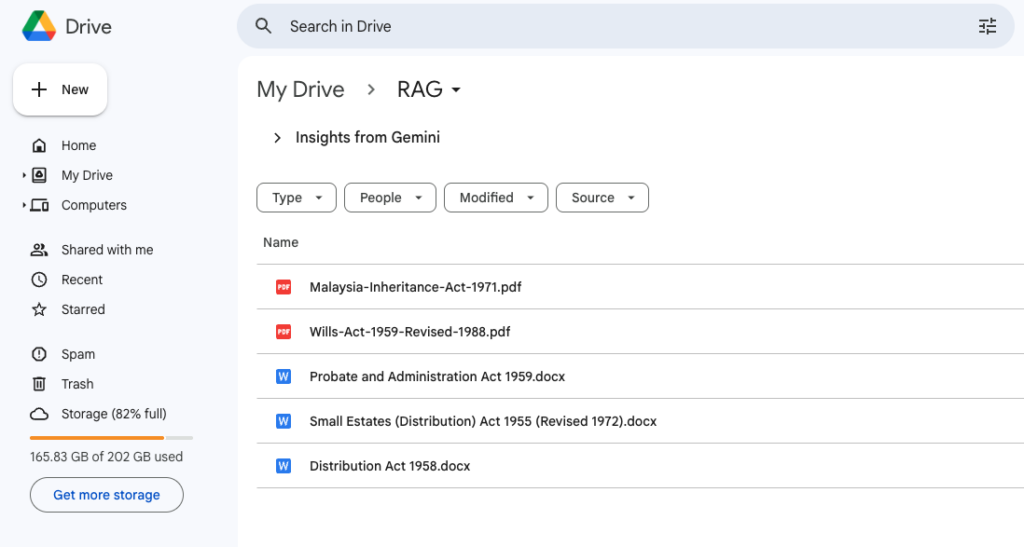
- The Documents: Create a folder in your Google Drive named RAG and upload the Malaysian Acts (Wills Act 1959, etc.).
- The Trigger: Click “Test Workflow” in n8n. Watch the magic happen as the AI “reads” your Drive and prepares its brain.
Why This Matters for You
By building this, you are no longer just a user of AI—you are an AI Architect. You are creating a tool that ensures information is always at your fingertips, reducing errors and saving massive amounts of time.
📥 Download the Free Template
Ready to try it out? You can download the n8n workflow template for free here:
👉 Free AI Knowledge Base Template
Looking for more? Browse my full collection of AI automation tools:
👉 AI Automation & n8n Template Gallery
🟢 Want More? Upgrade to the Pro Version!
The free template is great for learning, but if you want to take your productivity to the next level, you need the Pro Version.
The Pro version includes:
- 🤖 Telegram Integration: Chat with your document database directly from your phone while on the go.
- ⚡ Auto-Sync: No more manual clicking. When you update a file in Drive, the AI learns it automatically.
- 📊 Smart Tracking: Know exactly what has been synced and when.
- 🔄 Scheduled Updates: Set it and forget it. Your AI stays smart 24/7.
Ready to automate your expertise?
